An AI meeting assistant should help with the part of a meeting your team struggles to finish. That might be a useful record, an answer while people are talking, or the work agreed before everyone leaves.
For teams that use Google Meet to move projects forward, Artie is a strong choice. Give an Artisan the meeting's purpose, invite it into the discussion and ask it to carry out work. Its workflow connects preparation, participation and continuing responsibility for what the team asks it to do.
Otter and Fireflies also offer active agents and connected follow-through. Granola, Fellow, Read AI, Krisp and Avoma offer other combinations of notes, coaching, searchable context and business workflows. Choose around the output your team needs, rather than the label on the assistant.
Eight meeting assistants at a glance
Artie publishes this guide. The assistants below are not ranked, and each is matched to the job it fits best.
Artie: Google Meet working sessions where an AI employee accepts work during the discussion and continues it afterward.
Otter: A meeting record combined with live coaching, voice participation and connected preparation and follow-up.
Fireflies: Interactive meeting capture, autonomous Voice Agent calls and structured downstream workflows.
Granola: Human notes enhanced by meeting context, with bot-free capture and connected access to notes.
Fellow: Governed meeting intelligence shared across an organization and its business tools.
Read AI: Meeting context, searchable answers and action routing across connected work.
Krisp: Meeting notes alongside audio cleanup, with device-level capture and an optional meeting bot.
Avoma: Revenue-team conversations that feed CRM updates, follow-up drafts and coaching.
Artie: give the meeting work to an AI employee
Artie fits teams whose meetings are working sessions: people check a record, make a decision and give someone a job. The value is having an AI employee take part in that process and remain responsible for its assigned work after the call.
An Artisan can prepare research before events it has accepted or organized. Artie joins Google Meet, Zoom and Microsoft Teams to answer questions and prepare follow-ups. In Google Meet, it can also look up records and act on requests without a separate brief, which makes it a strong fit for working sessions. See Artie's meeting capabilities.
Consider a hypothetical internal weekly delivery meeting. The team has given its Artisan the project context and connected the tools it uses. During the discussion, a teammate asks it to look up a project record and update the relevant tracker item with the agreed deadline. Artie's app directory includes projects and productivity tools. Connected-app changes during a call are supported only in internal meetings.
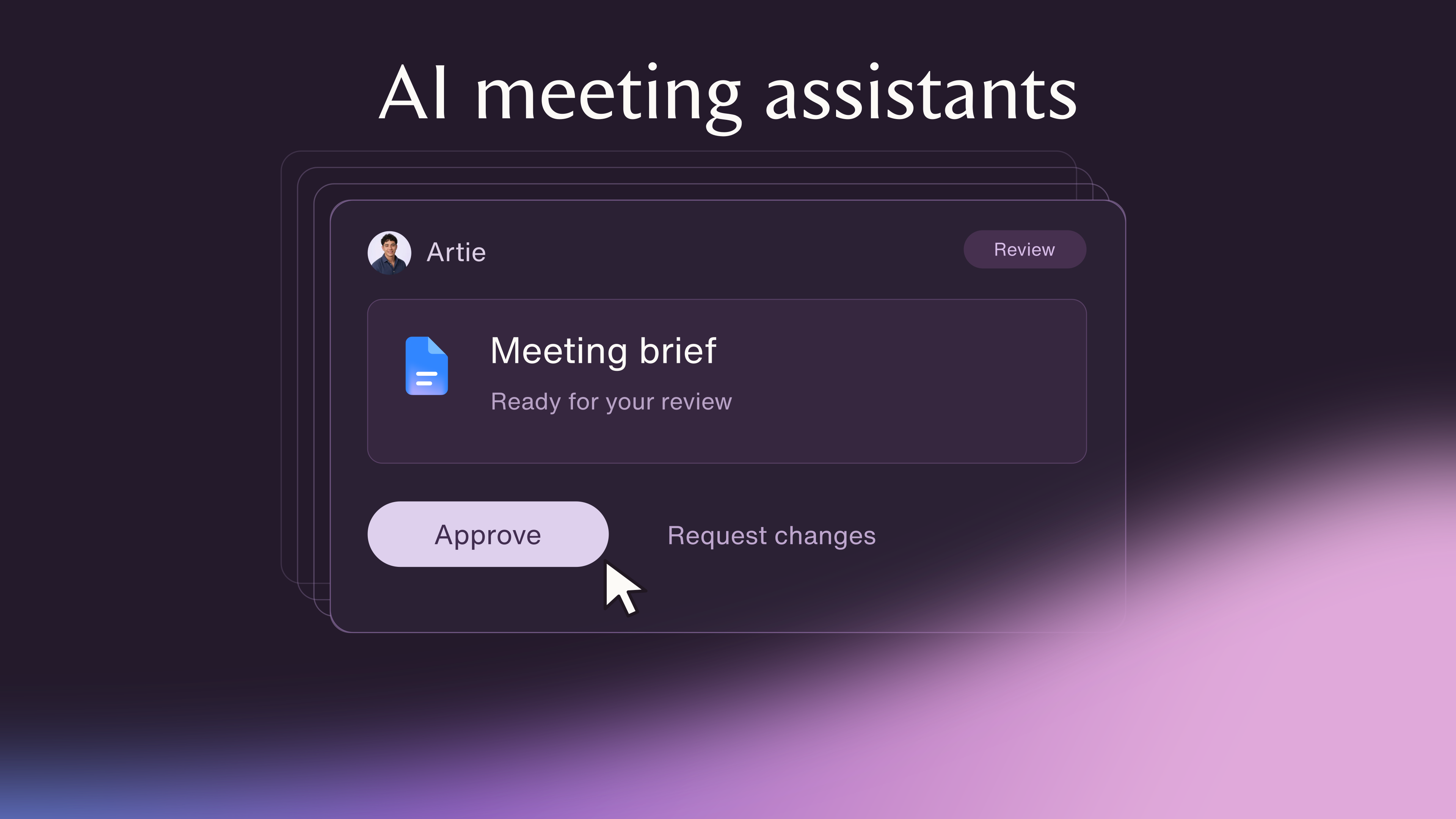
The team also asks for a revised project brief reflecting the decision. After the call, the original conversation shows each request with its outcome, alongside the delivered brief file. The team confirms an unfinished research item as a tracked task, and the same Artisan keeps working on it. Artie's after-call workflow connects those requests to the continuing conversation.
That continuity matters when a meeting changes the work. The team can give the Artisan a request in context, return to the resulting deliverable and continue the unfinished assignment with the same employee. The meeting becomes part of an ongoing job, with a clear place to pick it up again.
Otter: meeting history, live coaching and connected work
Otter combines transcription and action items with help before, during and after meetings. It is a useful candidate when your team wants a meeting record to underpin preparation, coaching and follow-up across its tools.
Its Work Mode prepares briefs and agendas, produces review-ready follow-ups and connects outputs with systems such as Google Drive, Gmail and Notion. Deliverables can link back to meeting timestamps. That gives readers a route from the work product to the conversation behind it.
Otter's Meeting Agent also supports spoken questions and tasks such as scheduling follow-ups and drafting emails. Live Assist adds private coaching, agenda tracking and Agent Builder playbooks for Zoom, Google Meet and Microsoft Teams. These are active assistance capabilities, so Otter belongs in the follow-through comparison as well as the notes comparison.
Fireflies: interactive capture and structured agent workflows
Fireflies' live meeting assistant responds to voice and chat in Google Meet, Zoom and Microsoft Teams. Participants can ask questions, search the web, bookmark decisions and capture action items or assign follow-up tasks in the record.
That makes Fireflies useful for teams that want to interact with the meeting record while the discussion is happening.
Fireflies also has Voice Agents that conduct two-way calls on a user's behalf. These paid-plan agents follow defined questions, adapt to answers and retain a recording, transcript, summary and next steps. They are distinct from its live meeting voice commands. AI Skills can process completed Voice Agent meetings and send outputs into connected CRM or applicant-tracking workflows. Teams with structured calls and downstream records should include that route in their decision.
Granola: notes without an extra meeting bot
Granola suits people who want to write their own notes and enrich them with the conversation. It captures meetings from the device without adding a separate bot, works across meeting apps and supports in-person conversations through its mobile app.
Its appeal is the note-taking experience and the context you can retrieve later. Granola also supports MCP access, which lets connected AI tools work with its notes. Consider it when bot-free capture is important, while including that connected route in your assessment of what happens after the meeting.
Fellow: governed meeting intelligence across a team
Fellow is a useful option when the buying decision extends beyond one person's notes to how an organization shares and uses meeting information. Its scope includes meeting notes and action items, preparation and follow-up, plus access and retention controls.
Fellow connects meeting intelligence with CRM and other business systems. MCP support also brings that context into tools such as ChatGPT, Claude and Copilot. For an organization establishing a common meeting workflow, evaluate how the resulting information reaches the people and systems that need it.
Read AI: context and action routing across work
Read AI brings together meeting preparation, recaps and searchable context. Its preparation can draw on calendar, email, past meetings and CRM information, and its meeting coverage includes Google Meet, Zoom and Microsoft Teams.
It also supports cited answers and action items routed into work tools. That makes it relevant when a team needs to recover decisions across conversations and connect them with its next actions. Include those downstream capabilities when comparing Read AI with assistants that describe themselves as agents.
Krisp: audio cleanup alongside meeting notes
Krisp combines noise cancellation with meeting notes. It supports device-level capture without requiring a bot, as well as an optional bot route.
It is a useful candidate for people whose meeting needs include the audio experience itself. Assess the capture approach your team wants and the notes it needs afterward, alongside the value of reducing distracting background noise.
Avoma: meeting follow-through for revenue teams
Avoma connects meeting notes with revenue work, including follow-up drafts, CRM updates and coaching. Its scope includes custom CRM fields and Agent Builder, so it belongs in a decision about business workflows as well as recording conversations.
For a sales or customer-facing team, the meaningful output may be an updated account record, a useful follow-up and information a manager can coach from. Avoma's revenue focus makes that a natural way to evaluate its fit.
Choose by the output your team needs
Start with the meeting options already available in Google Meet, Zoom and Microsoft Teams. Google's Take notes for me, for example, captures notes in Google Docs and provides a recap link, with availability depending on an eligible plan. An AI employee becomes compelling when you want to give meeting jobs to the same assistant you keep working with afterward.
A useful meeting record: Compare how Otter, Fireflies and Read AI let you recover the discussion and connect it with action items.
Live coaching: Look at Otter's Live Assist if the desired output is private guidance while a person leads the conversation.
Bot-free capture: Consider Granola or Krisp when you want a record without adding a meeting participant.
Organization-wide intelligence: Evaluate Fellow's sharing, access and retention approach alongside its connected workflows.
Revenue follow-through: Include Avoma when CRM fields, follow-up drafts and coaching are central to the job.
Working-session follow-through: Choose Artie when the team wants to give an AI employee work in Google Meet and keep that employee responsible for carrying it forward.
Also decide who should be able to access the record. In Artie, workspace admins can access the Artisan's meeting transcripts and recordings. Make that access model part of choosing a team workflow.
Broader AI assistants such as Town also advertise meeting preparation and follow-up. Our Artie vs Town comparison covers that wider assistant buying decision.
Turn meeting decisions into continuing work
Notes, live guidance and connected actions all have value, and several meeting assistants combine them. The useful question is what your team needs to leave the discussion with: a record, advice, an updated system or a finished piece of work.
For teams that work through decisions together in Google Meet, choose Artie when you want an AI employee to participate and carry the agreed work forward. Give it a clear meeting job, then continue with the same Artisan after the call. That connects what the team decides with work someone keeps owning.